Zones and service area
Decide where each run picks up
Set a range radius around your venue, draw pickup zones on a map, and give each run a zone. CertaBus checks every booking against its run's area.
What you get
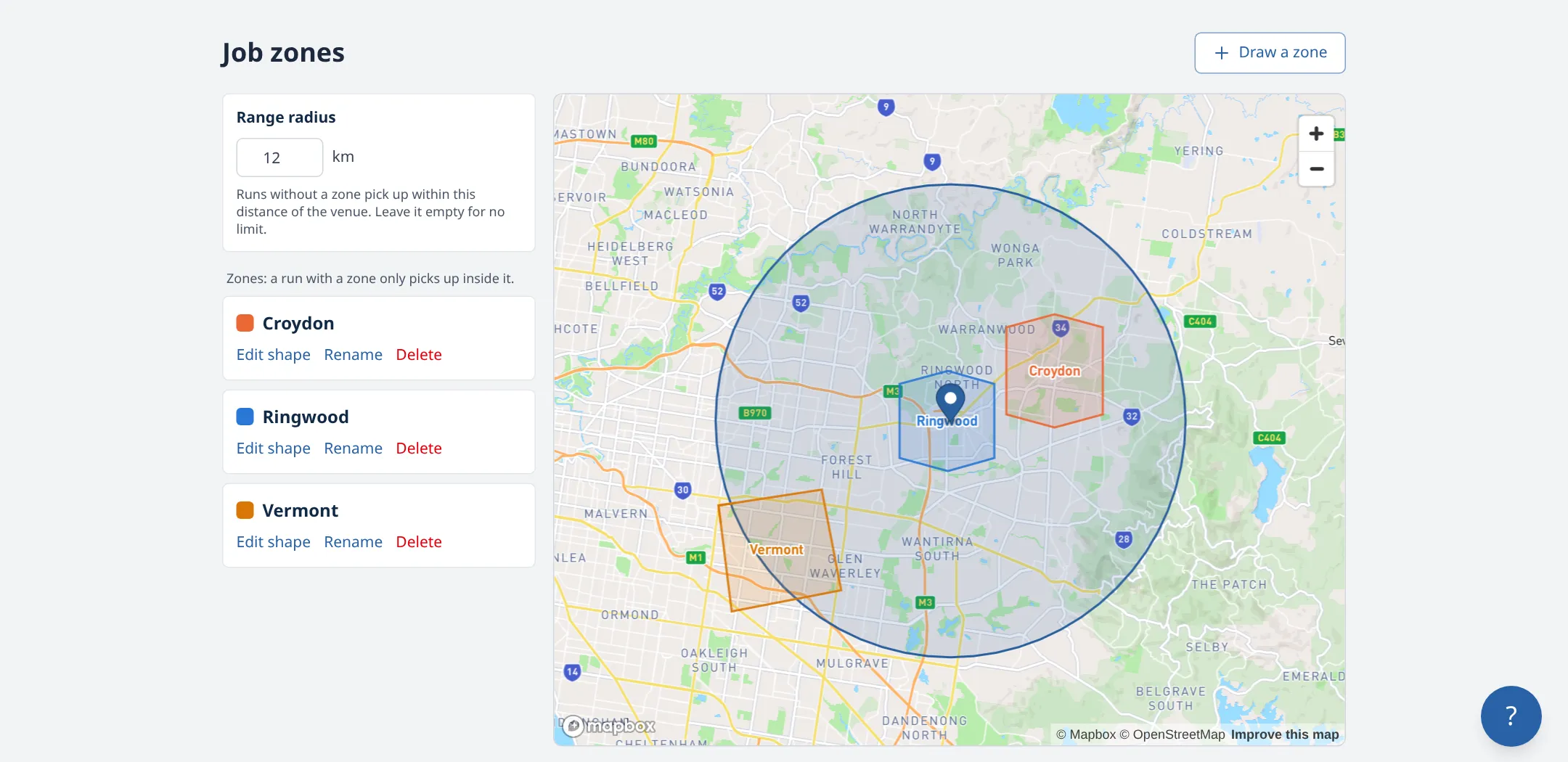
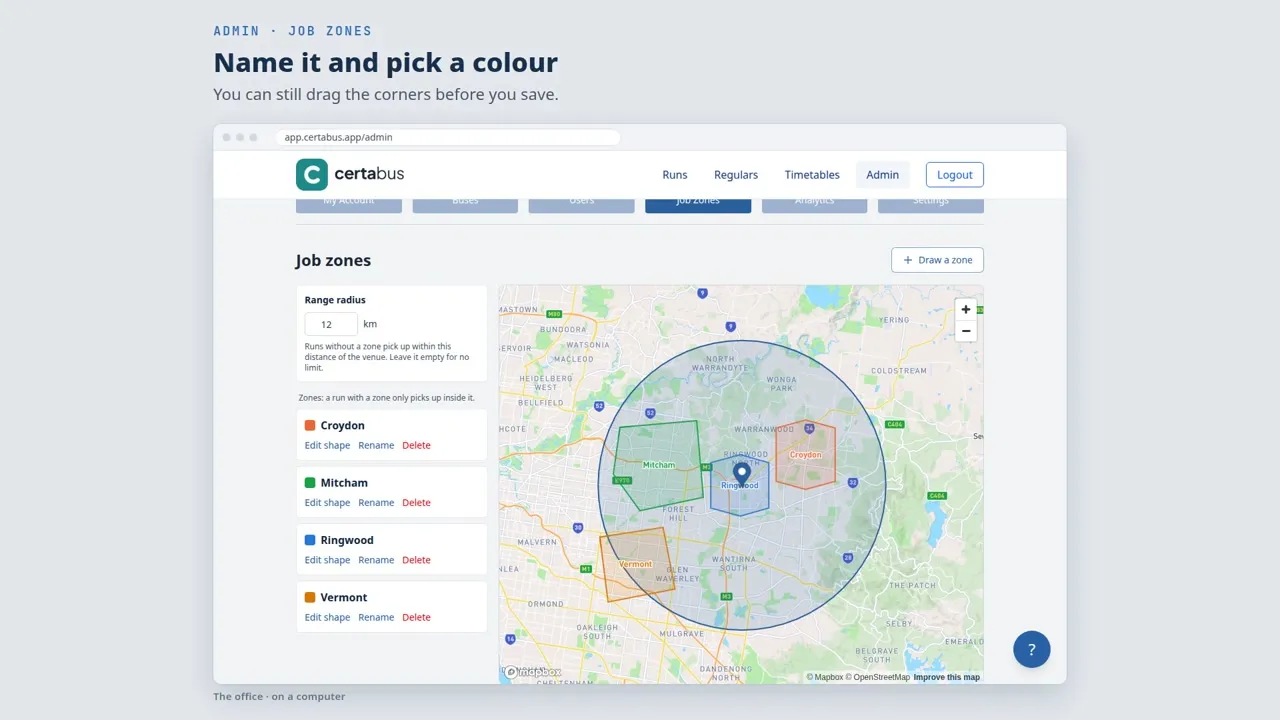
Range radius
A distance from the venue for runs without a zone. Leave it empty for no limit.
Draw zones
Draw areas such as suburbs on the map. Zones can’t overlap.
A zone for each run
A run with a zone only picks up inside it, which suits buses that cover different areas.
Checked on every booking
Bookings outside the run’s area get a warning, or are blocked if you prefer.
Address lookup
Check any address on the map: how far away it is, which zone it’s in and whether it’s in range.
Online booking too
Members booking online are only offered runs that cover their address.
How it works
- Open Admin → Job Zones.
- Set your Range radius, and draw any zones on the map.
- Give runs and timetable runs a zone, or leave them with no zone to use the radius.
- Take bookings as usual. CertaBus warns you, or blocks the booking, when an address doesn’t fit the run.
Step-by-step details are in the knowledgebase.
Common questions
Do I have to use zones?
No. Many venues just set a range radius. Zones are optional.
What happens with a run that has no zone?
It picks up within your range radius, or anywhere if you haven’t set one.
Can staff still book an address outside the area?
By default they’re warned and can choose Book anyway. Turn on Prevent out of zone bookings in Admin → Settings to block it instead.
Which plan includes zones?
Zones and the range radius are part of every CertaBus plan.
More features
See CertaBus at your venue
Start a free 30-day trial of CertaBus Premium. No setup fees and no credit card.